
Essential Anatomy 5
3D4Medical from ElsevierMedical
2.1363.00 Reviews
- Version
- 1.3.2
- Installs
- 50.00K
- Age Rating
- Mature 17+
Screenshots
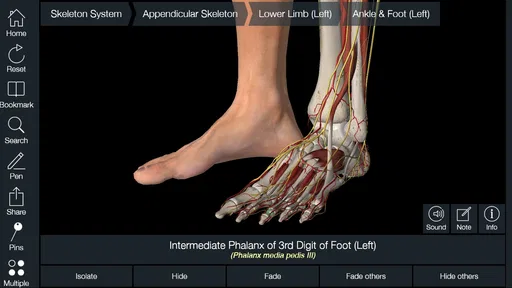
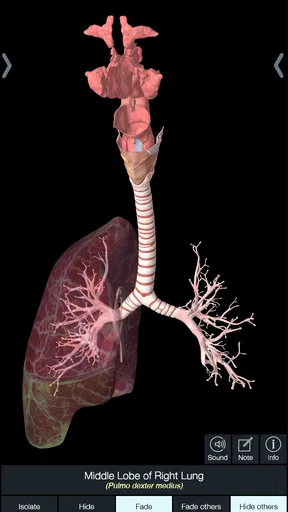
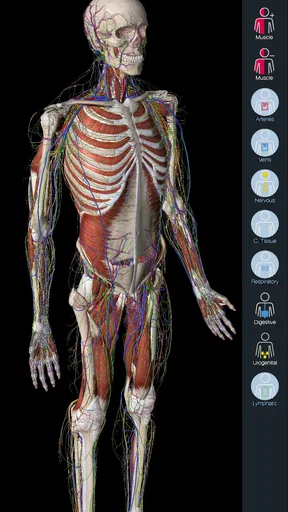
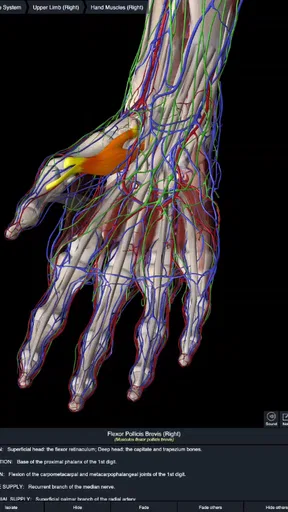
Our Review of Essential Anatomy 5
 Analysis by Appyee
When I consider a medical learning app, I look beyond impressive anatomy visuals: I want to know what it helps me understand, how it fits into real study, and what I can responsibly conclude about using it. Essential Anatomy 5 is a 3D anatomy reference from 3D4Medical from Elsevier. It has an average rating of 2.1 from around 2,700 ratings, so I would approach it with curiosity but not assume every user has had a smooth experience. Its listed age rating is Mature 17+, and it costs $14.99, which makes it worth weighing against your actual study needs before buying.
Looking at the model, the learning value, and the trade-offs
I find a movable anatomy model most useful when a flat image leaves me unsure how structures sit beside or beneath one another. In this section, I’ll look at how Essential Anatomy 5 can support that kind of visual learning, where a deliberate study workflow helps, and why its flexibility still doesn’t replace a structured course or a trusted atlas.
What a 3D anatomy view is good for
If you've ever wanted to explore the human body in detail without flipping through a thick textbook or watching videos, Essential Anatomy 5 might just be your new best friend. This app is like a virtual tour guide for the intricacies of human anatomy, and let me tell you, it's pretty darn impressive.
First off, the installation process is a breeze. Whether you're using Android or iOS, you'll have it up and running in no time. Once you've got it installed, you're greeted with a sleek and intuitive interface. Navigating through the app is like a walk in the park, which is exactly what you want when you're dealing with complex anatomical structures. The current version is 1.3.2, and it runs on operating systems from version 7.0 onward, so check that your device meets the requirement before purchasing.
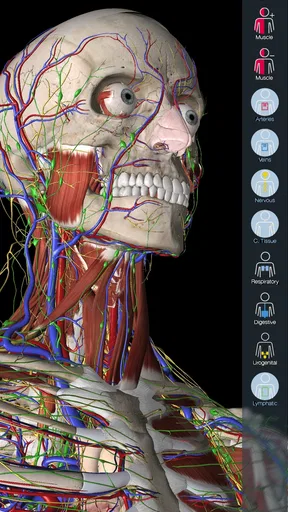
One of the first things you notice is how comprehensive the app is. It offers a deep dive into all major systems of the human body. We're talking about muscular, skeletal, nervous, and more. The amount of detail is enough to make any medical student or anatomy enthusiast giddy with excitement. The app has been available since May 14, 2014, and its 50,000-plus installs suggest that it has found an audience, though popularity alone doesn’t tell me whether it matches a particular course or learning style.
Exploring structures with a purpose
Now, let's talk about the features—because there are plenty. The 3D graphics are the star of the show here. You can rotate, zoom, and explore every nook and cranny of the human body. It's almost like holding a mini human model in your hands, but way cooler. I find this most useful when a structure’s position relative to nearby anatomy is what’s confusing me; a still diagram can explain a name, while a movable model can help make spatial relationships easier to picture.
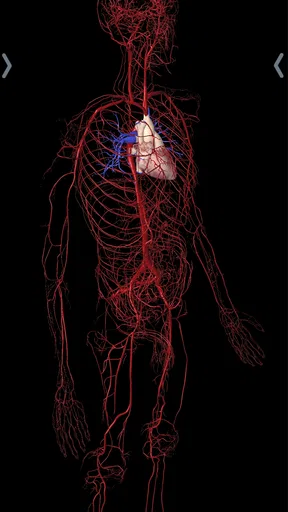
Another standout feature is the ability to isolate individual systems or structures. Want to see just the circulatory system? No problem. Interested in the intricacies of the brain? You can dive right in. This app gives you the ability to tailor your exploration to whatever you're curious about. A practical way to use that control is to begin with a broad system view, then narrow down to a structure you need to recognize, and finally restore surrounding layers to check where it sits. That last step matters: studying an isolated part alone can make it seem detached from the body.
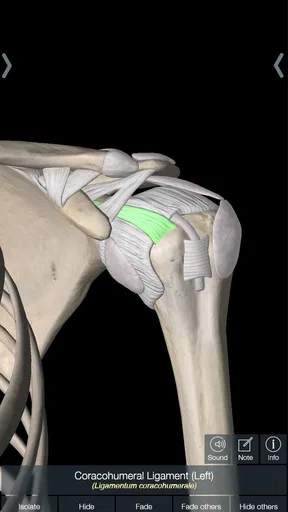
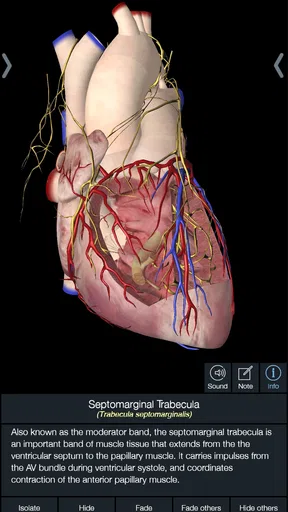
For anyone who's ever struggled with anatomy terminology, the labeling function is a lifesaver. As you explore, you can tap on any part of the body to see its name and function. It’s an interactive learning experience that beats rote memorization any day. I’d use labels as a check after trying to identify a structure myself, rather than leaving every name visible from the start. That small change turns browsing into a more active recall exercise, although the app is still a visual reference rather than a substitute for a course’s terminology, diagrams, or assessment style.
Where it fits into study and teaching
This app is a goldmine for students, educators, and healthcare professionals. Medical students will find it invaluable for study and revision. Teachers can use it as a dynamic teaching tool, bringing lessons to life in a way textbooks simply can’t. Even seasoned professionals might find it a handy reference to brush up on specific areas. In practice, I’d treat it as a companion to assigned readings and lab work: use the model to clarify orientation, then return to class materials to confirm which details and terms your program expects.
It also suits learners who need to revisit a region in short bursts rather than plan a long study session. For example, before a class on the shoulder, you could inspect the bones and muscles, test yourself by hiding the labels from your attention, and then compare the parts in context. An instructor could use the same visual exploration to explain why two structures that look close in a flat image occupy different positions in three dimensions. These are useful ways to make the model serve a specific question instead of simply rotating it for novelty.
But it’s not just for the academically inclined. If you’re someone who’s simply fascinated by the human body, this app will keep you engaged for hours. It’s like a never-ending anatomy lesson that you control. For casual curiosity, though, I’d consider whether a paid specialist reference is more than you need; a textbook, a free introductory resource, or a short explainer may be enough if you only want a quick answer now and then.
Trust, price, and the limits of what I can judge
Because this is a medical app, I think it’s sensible to separate an anatomy model from medical advice. Its subject matter can support learning about structures, but I wouldn’t use a visual reference to diagnose pain, decide on treatment, or interpret a scan. If a health concern is behind your search, a qualified clinician is the right person to ask. The publisher is 3D4Medical from Elsevier, and that identifies who makes the app; it does not, by itself, answer every question a privacy-conscious user might have.
I would also make the purchase decision with the rating in view rather than treating the app’s polished 3D presentation as proof that the whole experience will suit me. An average of 2.1 is a clear reason to read current user feedback and check practical compatibility before spending $14.99. I can’t infer specific causes for that rating, and I wouldn’t assume a problem is present or absent based on it. The useful takeaway is simply to judge the app against your device, course requirements, and tolerance for a paid reference tool.
When an app handles a subject as personal as the human body, I prefer to make decisions from visible choices rather than guesses. Check the permission requests and the privacy information shown in the store or on your device before installing, and review any account or data controls that are actually presented to you. I won’t claim that Essential Anatomy 5 collects or avoids particular information without a clear basis. If you’re using it on a shared device, consider who can access that device and its purchase account; that is a practical precaution, not a claim about the app’s data practices.
Compared with a printed atlas, the main appeal here is the ability to change your view and isolate structures rather than stay with a fixed illustration. Compared with a video lesson, you control the pace and direction of exploration instead of following a preset explanation. Those approaches can still be better for other tasks: an atlas is convenient for quick side-by-side reference, while a structured course may provide a clearer learning sequence and test your understanding. I see this app as most valuable when spatial orientation is the sticking point, not as a one-stop replacement for every anatomy resource.
A cautious recommendation for the right learner
In a world where technology is constantly evolving, having tools like this makes learning not just easier, but also more enjoyable. The app combines detailed visuals with an interactive way to inspect anatomy, making it a distinctive option in the crowded field of medical references. Its real value, in my view, depends on whether you will use those views to answer concrete questions rather than expect the graphics to teach everything on their own.
Whether you're preparing for exams, teaching a class, or just nurturing a passion for understanding the human body, this app may be a useful fit. Its visual exploration and labeling can support focused study, but its price, low average rating, and role as a reference rather than a complete course are worth considering. I’d recommend it most to learners who know they benefit from moving between anatomical layers and who have checked that it works for their device and study needs. Someone seeking free, guided lessons or a simple answer to an occasional question may be better served by another option.
So, if you're ready to explore the human body in a more hands-on way, consider trying it after checking the purchase details and the choices presented on your device. I’d use it to build a clearer mental picture, quiz myself on labels, and then verify what I learned against trusted course material. That is a more grounded promise than expecting one app to make anyone an anatomy expert, and it’s the approach that would make the price worthwhile for me.
Verdict
Strengths of Essential Anatomy 5
- Detailed 3D anatomical models.
- User-friendly interface.
- Regular updates with new features.
- Offline access available.
- Cross-platform compatibility.
Limitations of Essential Anatomy 5
- High memory usage.
- Expensive compared to alternatives.
- Limited free trial features.
- Occasional app crashes.
- No interactive quizzes.
Other Releases by 3D4Medical from Elsevier
View All
Complete Anatomy
Medical3.4
Similar Picks in This Category
View All
WebMD: Symptom Checker
WebMD, LLC4.1

Microphone Amplifier
DOSA Apps4.2

Anatomy Learning - 3D Anatomy
3D Medical OU4.5

Period Tracker and Calendar
SimpleInnovation4.9

GoodRx: Prescription Coupons
GoodRx4.8

CVS Health
CVS Pharmacy4.5
Frequently Asked Questions
What platforms is Essential Anatomy 5 available on?
Essential Anatomy 5 is available for both Android and iOS devices. This makes it accessible to a wide range of users who can benefit from its detailed anatomical models. Ensure your device meets the minimum operating system requirements to run the app smoothly.
How detailed are the anatomical models in Essential Anatomy 5?
The app offers highly detailed 3D anatomical models, covering various systems of the human body. It includes over 8,200 structures, offering an in-depth look at bones, muscles, nerves, and more. This makes it an excellent tool for students and professionals in the medical field.
Is an internet connection required to use Essential Anatomy 5?
Once downloaded, Essential Anatomy 5 can be used offline, making it convenient for studying and referencing on the go. However, some features, like updates or additional content, may require an internet connection to access.
Can I use Essential Anatomy 5 for educational purposes?
Yes, Essential Anatomy 5 is ideal for both individual learning and classroom settings. It provides interactive features and quizzes, making it a powerful educational tool for students, educators, and healthcare professionals seeking to enhance their anatomical knowledge.
Are there any in-app purchases in Essential Anatomy 5?
While the app provides a comprehensive range of features, users should be aware that certain additional content or advanced features might require in-app purchases. It’s important to review what is included in the initial purchase and what additional costs may apply.
